


 United Kingdom
 Best Seller
 Thermal Printers
 All Thermal Labels
 Money Counters
 Thermal Label Printer Kits
Shipping is one of the most critical yet often overlooked aspects of running an online business in the UK. Whether you're selling on eBay, Amazon, Shopify, or through your own website, knowing how to create a shipping label correctly can save you time, money, and customer headaches. This guide walks you through the process, covering major UK carriers and practical ways to streamline your shipping workflow.
Why Shipping Labels Matter More Than You Think
A properly made shipping label does more than move a package from point A to point B. It's your legal proof of postage, a tracking mechanism for your customer, and documentation for insurance claims if something goes wrong. Getting it wrong can result in lost packages, disputes, and damage to your seller reputation.
The good news? Creating a shipping label is straightforward once you understand the basics. Let's break it down.
Understanding What Goes on a UK Shipping Label
Before diving into the "how," let's cover the "what." Every shipping label in the UK requires specific information:
- Sender's information: Your business name, return address, telephone number, and email
- Recipient's information: Customer's name, complete address, town/city, postcode
- Service type: Whether it's Royal Mail Special Delivery, ParcelForce Express, Standard, or another service level
- Weight and dimensions: Critical for calculating postage and handling fees
- Barcode and tracking number: Automatically generated by the carrier
- Postage cost: The cost of shipping from origin to destination
- Delivery confirmation: Signature requirements or special handling instructions
- VAT considerations: If applicable to your business
Different UK carriers (Royal Mail, ParcelForce, DPD, Hermes) have slightly different label requirements, but these core elements remain consistent.
How to Make a Shipping Label Step-by-Step
Step 1: Gather Your Shipping Information
Start by collecting everything you need before creating the label:
- Parcel dimensions (length, width, height in centimetres)
- Parcel weight (in kilograms or grams)
- Recipient's complete UK address (verified and formatted correctly)
- Your return address
- Service level preference (Standard, Next Day, Special Delivery, etc.)
Pro tip: Misaddressed parcels are a leading cause of delivery problems. Always double-check the recipient's address, especially flat numbers, building names, and postcodes. UK postcodes must be correct for efficient sorting.
Step 2: Choose Your Carrier

Your carrier choice depends on several factors:
Royal Mail
- Best for: Small to medium parcels, cost-effective shipping, nationwide coverage
- Shipping label options: Royal Mail Click & Drop, online portal, or third-party integrations
- Tracking: Special Delivery offers trackable options with signature confirmation
- Maximum weight: 20kg for most services
ParcelForce
- Best for: Faster delivery options, heavier parcels, guaranteed next-day services
- Shipping label options: ParcelForce.com or carrier-integrated platforms
- Services: Express 24, Express 48, and International options
- Insurance: Included up to £20 (additional cover available)
DPD
- Best for: Fast delivery, business-to-business, European shipping
- Shipping label options: DPD.co.uk, online account, or third-party integrations
- Coverage: Next-day delivery throughout the UK mainland
- Special features: Guaranteed time windows, Saturday delivery available
Hermes
- Best for: Small parcels, e-commerce integration, cost-effective solutions
- Shipping label options: Hermes Online Services, eBay/Amazon integration
- ParcelShop drop-off: Convenient alternative to home collection
- Tracking: Real-time tracking with delivery photographs
APC/DHL
- Best for: International shipping, business accounts
- Shipping label options: Online platform with integration options
- Services: Varied domestic and international options
eBay and Amazon UK Integration
- Best for: Sellers using these platforms exclusively
- Advantage: Automatically pulls customer address and integrates with orders
- Limitation: Carrier-specific labels may have different UK requirements
- Note: Both platforms offer discounted Royal Mail and Hermes rates
Step 3: Create Your Label Online
Most UK carriers now require online label creation. Here's the general process:
- Log into your carrier's website or use a third-party shipping management platform
- Enter or confirm the recipient's address (including postcode)
- Specify your return address
- Enter parcel weight (in kg) and dimensions (in cm)
- Select shipping service and speed
- Review the postage cost
- Purchase postage and generate the label
- Download and print the label
Step 4: Print Your Label Correctly
Label printing is more technical than it seems. Here are critical considerations:
Print Quality
- Use a high-quality printer for the sharpest barcode reproduction
- Avoid inkjet printers when possible; they can smudge and create unreadable barcodes
- Print at 100% scale—never shrink or enlarge the label
- Ensure your printer settings are correct for UK paper sizes (A4)
Label Placement
- Royal Mail prefers labels in the upper-right corner of parcels
- DPD labels should be placed on the largest, flattest surface
- Hermes labels must be completely visible and unobstructed
- Never place labels over tape, creases, or existing stickers
- Ensure the barcode is completely visible—parcels cannot be processed if barcodes are illegible
Label Stock
- Use proper shipping label paper or adhesive label stock
- Standard A4 paper works for most carriers
- High-quality label material prevents peeling during transit
- Consider weather-resistant labels for parcels that may be exposed to moisture
Streamlining Your Shipping Label Workflow

If you're shipping multiple packages weekly, manual label creation becomes a bottleneck. This is where specialized shipping label solutions come in.
Why Consider Dedicated Shipping Label Options
For businesses handling volume, printing shipping labels with a dedicated system offers several advantages:
- Speed: Create labels in seconds instead of navigating multiple websites
- Batch processing: Generate multiple labels at once
- Integration: Connect directly with your sales platforms (eBay, Shopify, WooCommerce)
- Cost tracking: Monitor postage expenses in real time
- Label quality: Thermal printers produce barcodes that scanners read reliably
- Consistency: Professional appearance builds customer confidence
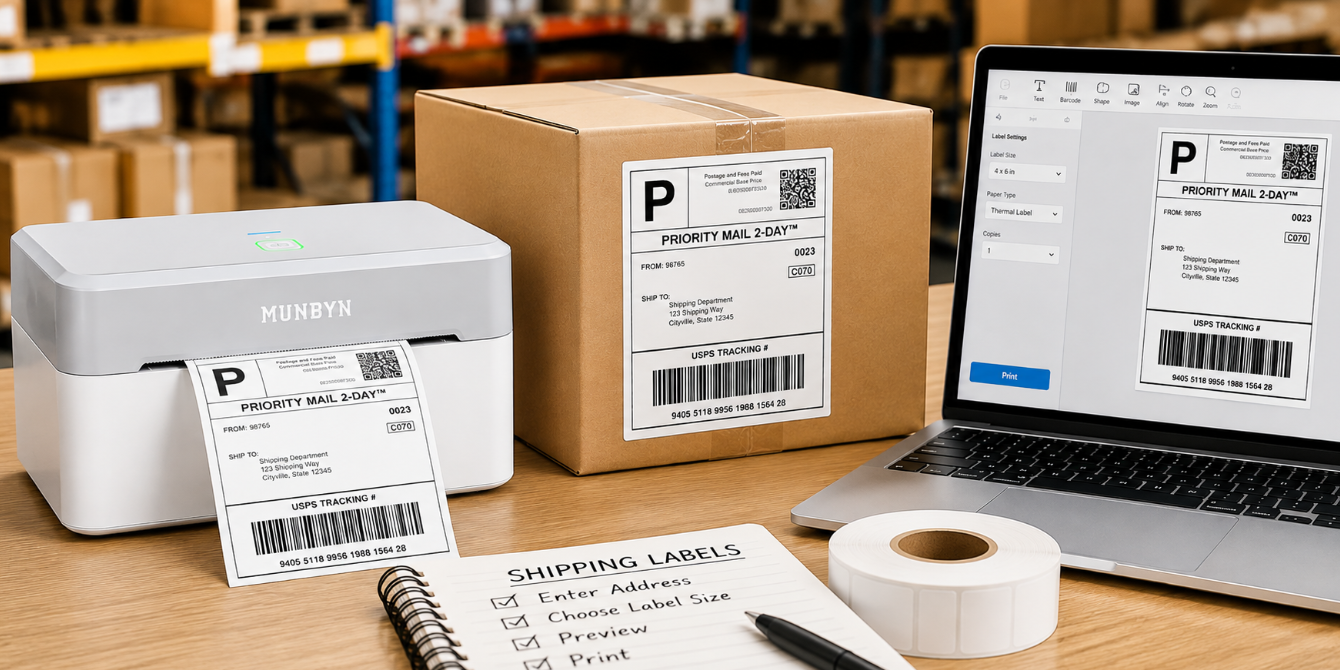
MUNBYN shipping labels represent a practical solution for businesses looking to optimize their shipping process. MUNBYN's thermal label printers and shipping label supplies eliminate the need for constant printer adjustments and alignment issues. Their 4x6 thermal shipping labels, for example, are designed to meet carrier specifications and integrate well with popular shipping platforms. The adhesive backing ensures labels stay put throughout the shipping journey, and the thermal printing technology produces crisp, scan-ready barcodes every time. (Use the limited-time discount code"MYSEO" at checkout to enjoy an extra 8% off.)
The advantage of standardized thermal label solutions is consistency. When you're printing 50 labels a week, the ability to batch-process and print without alignment adjustments adds up to real time savings.
Carrier-Specific Tips for Creating Shipping Labels
Royal Mail-Specific Considerations
- Use Click & Drop for discounted rates compared to counter purchases
- Postcode must be formatted correctly (e.g., SW1A 1AA) for efficient sorting
- Special Delivery Guaranteed by 9 am includes compensation up to £20
- Add insurance if selling high-value items
- Royal Mail recommends labels be placed on the top-left or top-right corner
ParcelForce-Specific Considerations
- Express 24 guarantees next working day delivery (Monday-Friday)
- Express 48 is more economical for non-urgent items
- Maximum weight for standard services is 20kg
- Insurance is included but limited; consider additional cover for valuable items
- Track parcels in real time via the ParcelForce website
DPD-Specific Considerations
- Next-day delivery is guaranteed across the UK mainland
- Saturday delivery available in many areas (at additional cost)
- DPD offers time-window guarantees (e.g., 8 am-1 pm slots)
- Parcel weight limits: up to 30kg for standard services
- Real-time tracking with delivery photographs provides proof of delivery
Hermes-Specific Considerations
- ParcelShop drop-off is often more convenient than home collection
- Hermes integrates seamlessly with eBay.co.uk and Shopify
- Weight limits: up to 20kg for most standard services
- Signature on delivery available for high-value items
- Discounted rates available for regular sellers
Common Mistakes to Avoid
Even experienced shippers make errors. Here's what to watch for:
- Incorrect postcode formatting: UK postcodes must be entered correctly; common errors include incorrect spacing or missing digits
- Incomplete addresses: Always include flat numbers and building names; missing details cause significant delays
- Wrong service level: Selecting standard delivery instead of next-day costs less but may disappoint customers expecting faster service
- Illegible barcodes: Always verify printed barcodes scan properly before handing off parcels
- Exceeding weight/size restrictions: Each service has limits; oversized parcels face surcharges or may be rejected
- Missing signature confirmation: High-value items should include signature required to prevent loss or theft
- Poor label placement: Labels obscured by packaging tape won't scan at sorting facilities, causing delays
- VAT-related errors: If you're VAT-registered, ensure your business details are accurate on labels
Integrating with Your Selling Platform
Most UK online sellers benefit from automation:
- eBay.co.uk: Generates labels directly from orders; integrates with Royal Mail and Hermes with discounted rates
- Amazon.co.uk: Fulfillment by Amazon handles labels, but Fulfilled by Merchant requires your own; Hermes integration available
- Shopify: Third-party apps like ShipStation or Printful handle label creation and carrier integration
- WooCommerce: Integration plugins connect to major carriers, reducing manual entry
- Etsy.co.uk: Integrates with Royal Mail Click & Drop for streamlined label creation
These integrations pull customer data automatically, reducing manual entry errors and speeding up fulfillment significantly.
International Shipping Label Considerations
If you're shipping internationally, additional information is required:
- Customs declaration: For items outside the UK
- HS codes: Required for EU and non-EU countries
- VAT/Duties: Consider who pays (sender or recipient)
- Restricted items: Some carriers don't accept certain goods internationally
- Delivery times: Vary significantly by destination country
Carriers like DPD and ParcelForce offer dedicated international services with specific label requirements.
Final Thoughts: Making Shipping Label Creation Simple
Knowing how to create a shipping label is non-negotiable for UK online sellers. Whether you're making one label or one hundred, the fundamentals remain the same: accurate information, proper formatting, readable printing, and correct placement.
For sellers handling significant volume, upgrading to dedicated label solutions makes sense. The time saved, combined with improved print quality and reliability, often pays for itself quickly. Systems designed specifically for shipping—like MUNBYN's thermal label solutions—remove friction from your fulfillment process and help you maintain consistent, professional standards.
Start with your carrier's basic label tools to understand the process. As your business grows, you'll naturally migrate towards solutions that automate and simplify the work. Either way, prioritising shipping label accuracy reduces problems, improves customer satisfaction, and protects your reputation as a seller.

Share:
Best Restaurant Food Label Printers for Commercial Kitchens
Halloween DIY Ideas: Create Spooky Stickers, Party Labels, and Crafts at Home