


 United Kingdom
 Best Seller
 Thermal Printers
 All Thermal Labels
 Money Counters
 Thermal Label Printer Kits
Don't Miss Our Biggest Sale of the Week!

PROOF 01 /READY FOR YOUR COUNTER
Make Every Sale Feel More Organised

DIRECT CONNECTION
USB

NETWORK CONNECTION
Ethernet


 United Kingdom
You are currently viewing:
United Kingdom
Items in your shopping cart will be removed when you change country
Your cart is currently empty.


Product highlights

Essential for Small Business

Portable & Travel-Friendly

EU Safety Certified.

Global Wireless Standard.

Lead-free & non-toxic

🔥Flash Sale
Limited Time Only
Don't Miss Our Biggest Sale of the Week!
Product highlights
Essential for Small Business
Portable & Travel-Friendly
EU Safety Certified.
Global Wireless Standard.
Lead-free & non-toxic
Ships from UK Warehouse within 48 Hours
2–4 Day Delivery · No Import Delays · Easy Local Returns
14-day Risk-free Trial
2-Year Warranty & Lifetime Support
30-day Price-Match
Need help choosing the right product or placing an order?
Our MUNBYN support team is here to help. If you have any questions about products, compatibility, orders, or after-sales service, feel free to contact us at any time. We respond to all inquiries within 24 business hours (Monday–Friday).
Shipping Information
We offer free shipping straight to your door throughout the contiguous US*. It usually takes 2-5 business days* for your package to be delivered, so you can sit back and relax, worry-free.
*Please see our shipping policy for more details.
Help Center
Find everything you need in one place:
FAQ’s
Have a quick question?
Visit our FAQ page, which covers the most common topics, including:
If you can’t find the answer you’re looking for, our support team is always ready to help.
Still need assistance?
Contact Us at
Order: order@munbyn.com
Tech: support@munbyn.com
+1 628 229 3612
Mon - Fri: 7AM - 5PM (UTC-8)

PROOF 01 /READY FOR YOUR COUNTER
DIRECT CONNECTION
USB
NETWORK CONNECTION
Ethernet

PROOF 02 /CLEAR RECEIPTS

CONSUMABLES
No ink or ribbon

PROOF 03 /A TIDIER HANDOVER

PROOF 04 /KEEP THE QUEUE MOVING

PRINT SPEED
Up to 230 mm/s

PROOF 05 /PRACTICAL EVERYDAY DESIGN

PROOF 06 /A DIRECT DESKTOP CONNECTION

PROOF 07 /EASY ROLL CHANGES

PAPER WIDTH
80 mm thermal receipt rolls

PROOF 08 /PRINT OVER YOUR LOCAL NETWORK

PROOF 09 /CHOOSE YOUR RECEIPT PAPER

PROOF 10 /HELP WHEN YOU NEED IT
| Models |
THIS MODEL
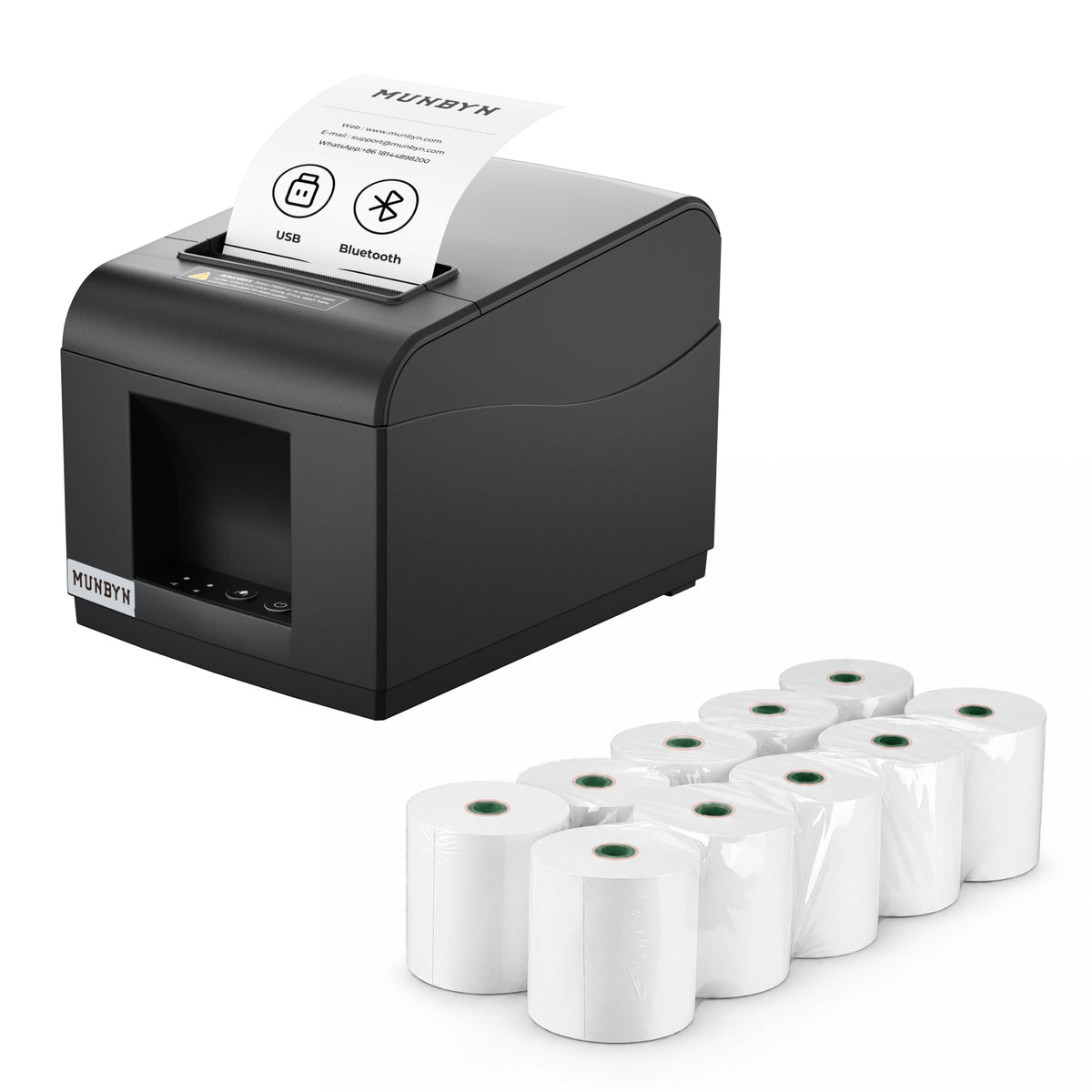
 MUNBYN P072 Thermal Receipt Printer for Retail POS Receipts
Current Page
|
---
|
---
|
|---|---|---|---|
| Name | ITPP072UE | --- | --- |
| Interface | USB+Ethernet | --- | --- |
| Color | Black | --- | --- |
| Support system | Windows/Andriod/Linux/Mac/Chrome | --- | --- |
| Print Speed | 230mm/sec | --- | --- |
| Resolution | 203 DPI | --- | --- |
| Print Width | 72mm | --- | --- |
| Paper Width | 3 1/8" (80mm) | --- | --- |
| Compatibility | Not CompatIble with IOS system | --- | --- |
| Wireless Connection | LAN | --- | --- |
| Special Feature | Automatic Paper Cutting | --- | --- |











Please read our FAQs page to find out more.
Yes. Most models support multi-layer counterfeit detection such as UV, IR, MG, DD, DBL, HLF, CHN, depending on the model.
Yes. Bank-grade models (IMC09, IMC01, IMC40, IMC08) support USD / CAD / MXN / EUR / GBP depending on the model.
2-pocket designs (IMC40, IMC08) automatically sort rejected bills into a second pocket, allowing continuous counting without stopping.
Yes. For Bluetooth and Wi-Fi models, you can print directly from your iPhone, iPad, or Android device using our app or AirPrint-compatible setup.
Counting speed varies by model:
Yes. Bank-grade models offer:
Mixed-value models show:
For mixed-denomination models: No.
For basic models: Yes. Bills should be the same denomination.
Yes, but extremely damaged bills may cause rejection or slow feeding. 2-pocket models will send them to the reject tray automatically.
Depending on the model:
Yes. Models like IMC40, IMC09, IMC08 are bank-grade, ideal for:
Most MUNBYN money counters come with a 2-year warranty plus lifetime customer support.
Free shipping and returns