This website uses cookies and other tracking technologies to improve your browsing experience, display personalized advertisements, and analyze website performance and traffic. We may also share information about your use of our site with our social media, advertising, and analytics partners. You can opt out of the sale or sharing of your personal information for targeted advertising at any time. For more details, please see our Privacy Policy.
Scroll to top
Product highlights
Bluetooth
Bluetooth / USB
High Speed
one 4×6 label per second
Standard Resolution
203 DPI Clear Printing
Multi-Platform
Supports major shipping platforms
CE Certified
EU Safety Certified.
FCC ID Certified
Global Wireless Standard.
Save 39%
MUNBYN RW129B Bluetooth Thermal Label Printer Kit for Starter Small Business Labelling
Type 4: Label Printer x1
Label Holder x1
2" Circle Labels (750/Roll) x2
4"x6" Shipping Labels (500/Stack) x2
Ships fromUK Warehouse within 48 Hours
2–4 Day Delivery · No Import Delays · Easy Local Returns
14-day Risk-free Trial
2-Year Warranty & Lifetime Support
30-day Price-Match
MUNBYN RW129B Bluetooth Thermal Label Printer Kit for Starter Small Business Labelling
Order now, ships within 48 hours
£89.99£147.99
Saved £58.00
4 interest-free payments of £22.50
Order now, ships within 48 hours
Need help?
Need help choosing the right product or placing an order?
Our MUNBYN support team is here to help. If you have any questions about products, compatibility, orders, or after-sales service, feel free to contact us at any time. We respond to all inquiries within 24 business hours (Monday–Friday).
Shipping Information
We offer free shipping straight to your door throughout the contiguous US*. It usually takes 2-5 business days* for your package to be delivered, so you can sit back and relax, worry-free.
Your ideas, your space — print wherever inspiration strikes.
Ink-Free, Worry-Free
Zero ink. Time, money, and planet-saving.
Fast to Print, Easy to Keep Going
High speed:150 mm/s = one 4×6 label per second.
MUNBYN RW129B Bluetooth Thermal Label Printer Kit for Starter Small Business Labelling
£89.99
Product details
Download our app
High-End Labels in Minutes
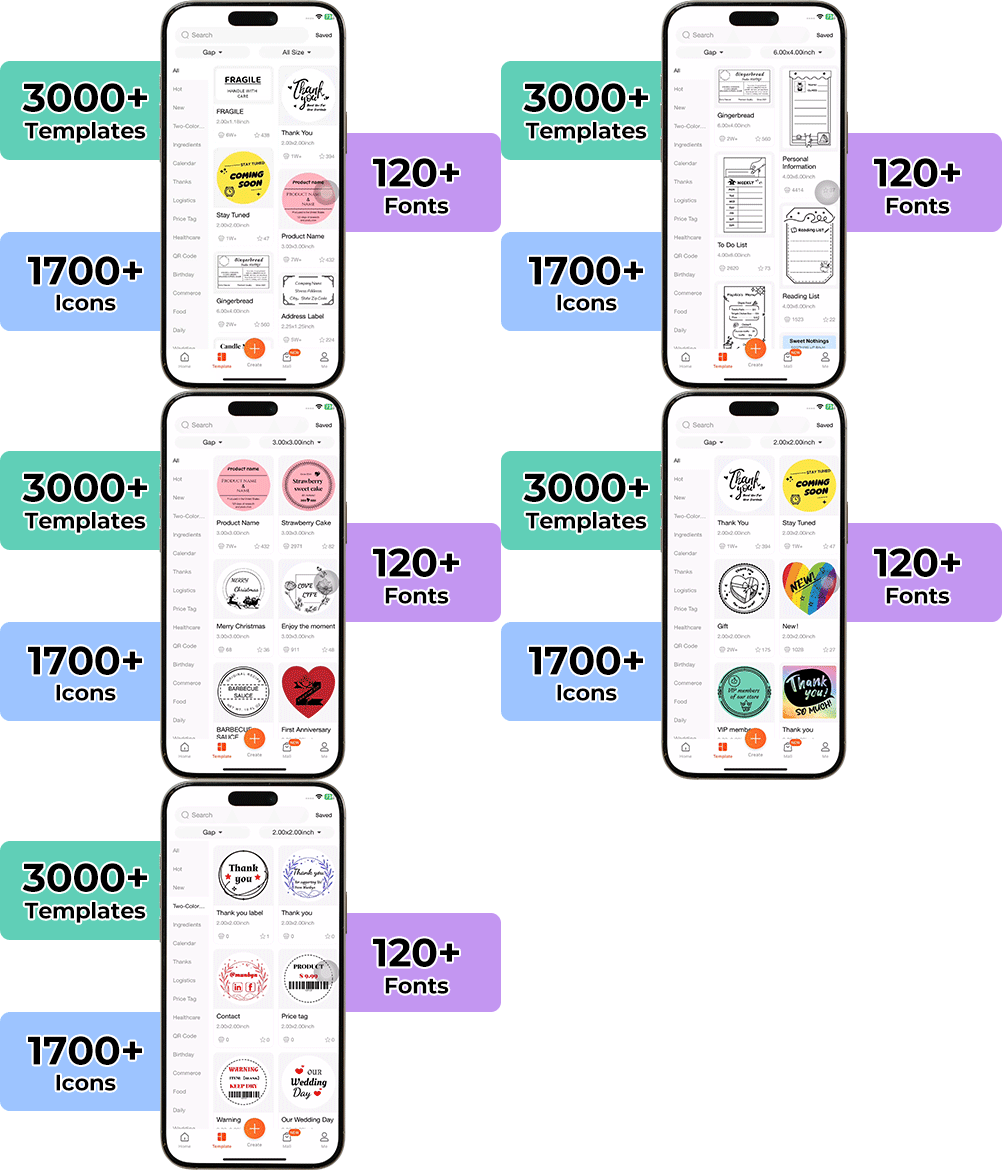
Designing custom packaging has never been this simple. Using the MUNBYN app and our versatile DIY Labels, you have a library of 3,000+ design assets and templates at your command.
Craft bespoke logos and promotional stickers that perfectly capture your brand's personality—all while keeping your budget in check.
Our RW129B Bluetooth thermal printer connects instantly to your phone, tablet, or computer. Print shipping labels from your desk, warehouse, or home—zero setup hassles.
No Ink, No Mess, Pure Savings
Direct thermal technology means zero ink costs and zero maintenance headaches. This thermal label printer saves you 60% on printing expenses yearly. Just load thermal labels and go—it's that simple.
72 Labels Per Minute – Zero Waiting
Everything You Need to Get Started.
Print one 4×6 label in just one second at 150mm/s. With 203 DPI resolution, every barcode, address, and sticker comes out crystal-clear.
Your all-in-one tool for major marketplaces and carriers, including but not limited to
Designed to print more than 980,000* labels in shipping labels
How People Use MUNBYN
Print life and label quantity estimates are based on laboratory calculations (150 KM printhead life × 4×6" label length). Actual performance may vary due to print frequency, label material, operating environment, and maintenance conditions.
Shipping Labels
Shipping Labels
Ship Faster. Deliver Smarter.
Designed for small to high-volume fulfillment, MUNBYN printers produce crisp 4x6 shipping labels that scan instantly and stick securely.
Perfect for:
Shopify & Amazon sellers
Warehouse and fulfillment teams
Daily order processing
Reduce printing time, avoid reprints, and keep every shipment moving efficiently.
Custom Labels
Custom Labels
Your Design. Your Size. Your Brand.
Create labels tailored to your exact needs — from unique dimensions to personalized layouts.
Use for:
Product packaging
QR codes & instructions
Event or promotional labels
Flexible, professional, and fully customizable to your workflow.
Barcode Labels
Barcode Labels
Scan Faster. Manage Smarter.
Print high-precision barcode labels that ensure fast scanning and accurate inventory tracking.
Commonly used for:
Warehouse management
Retail POS systems
Asset tracking
Improve operational efficiency and reduce costly manual errors.
Fragile Labels
Fragile Labels
Protect Every Package in Transit
Clearly mark fragile items with bold, high-contrast labels that grab attention during handling and delivery.
Ideal for:
Glassware & electronics
Medical or precision equipment
Gift & premium packaging
Minimize damage, reduce returns, and ship with confidence.
Branded Labels
Branded Labels
Turn Every Shipment into a Brand Experience
Add logos, brand colors, thank-you messages, or marketing inserts to elevate your packaging.
Great for:
Small businesses & DTC brands
Subscription boxes
Boutique and handmade products
Build recognition, increase repeat purchases, and stand out in every unboxing moment.
Stickers for Daycare/School
Stickers for Daycare/School
Organized. Durable. Kid-Friendly.
Print name labels and stickers that help keep school and daycare items sorted and easy to identify.
Perfect for:
Lunch boxes & water bottles
Notebooks & supplies
Clothing tags
Water-resistant, long-lasting, and made for everyday life.
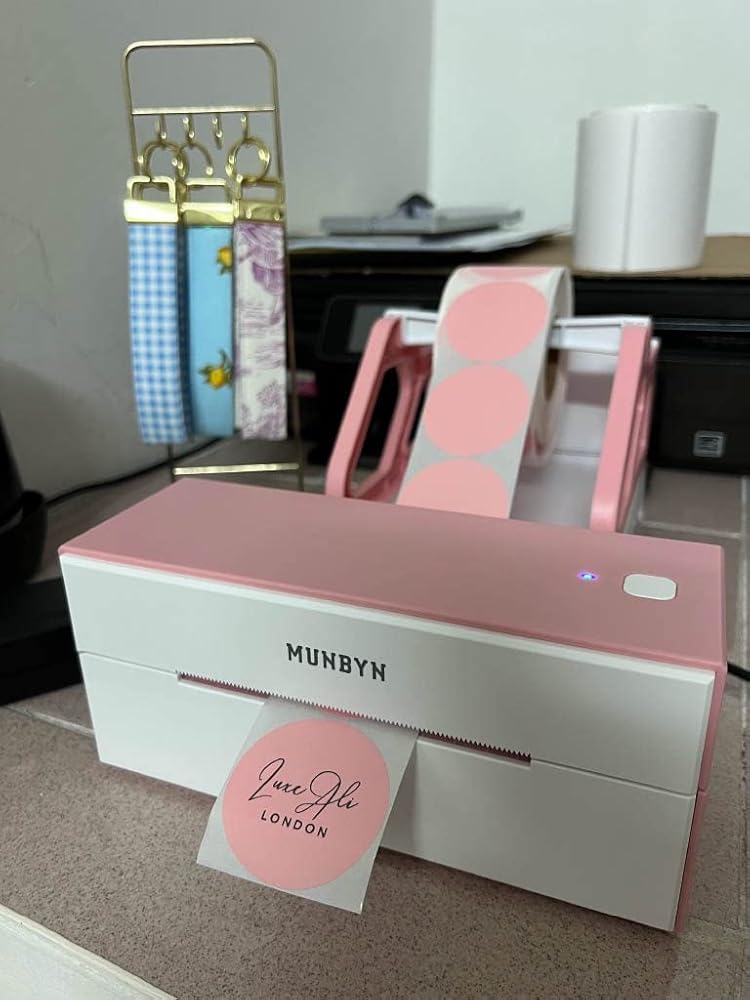
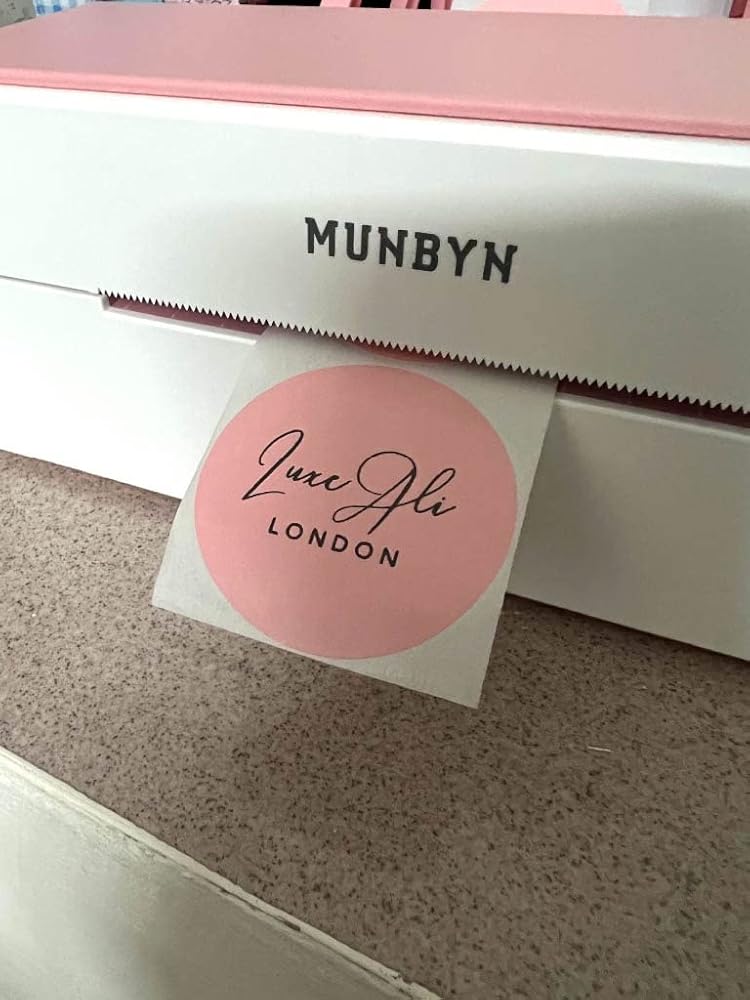
Pretty Pink/White Design, Great for small businesses and Excellent Customer Service!
This is the 2nd printer that I have purchased from Munbyn! Both in the gorgeous Pink & White colour but this time I opted for the blue tooth version as I have heard good things about this feature. It's an excellent addition to small businesses like mine as it allows me to print business labels, shipping labels etc whilst being cost effective - I made the most of the Black Friday deals but I believe there are some Christmas offers out there right now! Print quality is great if you select the PDF format to print - I really wanted the 300dpi version but I don't think its available in the UK right now? (this is good enough for my needs right now and I highly recommend!). Initially had trouble with setting up my machine but Munbyn customer services via WhatsApp has been very helpful to assist and even followed up the next day to see how I was getting on! Once you are all set up and ready to go, the printer is very easy and convenient to use. Not only can I print from my laptop but I can now print straight from my phone and iPad via the Bluetooth feature! LOVE, LOVE, LOVE!!!
J
Jessica S
Ok quality for price [Edited]
See original review below the edit line.Update: after returning the printer Munbyn reached out to me directly with the offer of a free device in trade for communication and feedback to fix the flaws I mentioned. I agreed and have been in private discussions since.Whilst I appreciate the free device provided and their active discussions to improve this. I am yet to see suggestions from the discussions implemented. (Will make a further update edit if I do see active changes being made)However, they did push a firmware update and provided me links to download the drivers online. I should also point out, the free device had a quick start guide that does have download links on for this, my original device was apparently missing this. After scanning the firmware and driver files I can confirm they are clean (Though all users should scan themselves before opening any files). To update the firmware you have to connect the device to a PC with the provided USB B to USB A cable.The firmware update allows this device to be paired with Munbyns own app, which I can confirm is much better than the original one they were using. Much MUCH better.It still has its own issues and is missing some standard features. The main ones being the rotation of objects by 90°, and the ability to clone QR and Barcodes by scanning them.The app is also very cloud based and requires an account for things like, saving templates and file printing. You can save drafts instead of making templates, but this is a little clunky.Zooming on the canvas doesn’t exist and the last selected object will always move to the front, there is no option to send back/bring forward or lock the current objects layer.It does add density and speed options, still missing colourspace selections though. It does however give you the dithering choices of None, Ordered Dithering and Error Diffusion which helps image quality in allot of cases depending on what you’re trying to print.Print quality is improved but still nothing amazing considering the price. £120 at most, would be good for £100. And I still say the label holder should come with the printer.Overall though it’s actually now useable and useful to me at least for return shipping labels. So I’m changing my overall rating to 4/5 stars. If they can iron out the issues and reduce the price then this might change.————————————————————————Looks good and well built. Quick and simple to get connected over Bluetooth. Automatic label identification is quick, simple and seemingly accurate (though I’ve only tried it on one 4x6” label). It also prints very quickly.Sadly the print quality was just ok. For the price I expected it to be better. It’s definitely not as consistent nor as sharp/dark as my much cheaper smaller compact thermal label printer.The iOS app is abysmal, allot of basic tools completely missing.For example:-No rotation of items-No grayscale/B&W/Halftone/256gray colour options-No colour threshold option-No intensity optionsApp controls are generally clunky, especially when it comes to scaling the size of an object or scrolling text with the cursor.Also feel cheated since the day after I bought it the price dropped to 41% off! Even at the much lower price I still don’t not feel the quality meets expectations and would still be returning it. My much better little printer cost me 1/4 off the price.Also (my fault here not the manufacturers/sellers) I thought with it being a Bluetooth enabled printer that it would have a battery to be portable. Sadly this has to be powered by the mains with a chunky transformer.As a rule of thumb I do not plug third party USB devices into my machines so I can’t comment on the desktop side of things. The drivers should be available on a web server and the manufacturer should provide a QR code as well as a raw web link for the consumer to download it.I also bought the label roll stand/holder alongside this and I have to say it’s also lacking considering the price. It should come with the printer at that cost! Cheaply made and very difficult to take apart once put together. Loading method for rolls is clunky. Shaft is not round so the label roll drags instead of smoothly rolling.TLDR:My overall rating would have to be 3/5. Only because the build quality seems good, setup is easy and printing is very fast.Otherwise it would have only been 1-2/5 as low quality prints, lacking app features, overpriced low quality stand (Bought separately), driver availability and lack of portability due to requiring mains power.5/5 stars though on the pink colour. It does look pretty!
B
Brighid
So far this is as described
This label printer was very easy to set up. One thing to note is that when I went to the web page with the instructions to download the printer drivers I had to figure out which was the right driver as the machine model wasn't listed. Once I had that figured out the driver was quick to install and the printer worked straight away. It seems to be good quality and the labels print out super fast without any smudges or unreadable print. Very happy with it so far. I will update this review if I encounter any problems.
p
pnr8uk
Best Purchase I've made for my Small Business!
The media could not be loaded.
Perfect little printer for my small business! Printing quality and speed is incredible, best purchase I've made! Easy to print and with the LabelLife App I can create sticker designs for my company with loads of free designs, symbols and fonts, included in the video - now I can make my own Fragile Stickers, Handmade with Love and Thank you Stickers! I ordered the Pink 4x6 Labels along with this printer and they are great quality, great price for how many you receive! Compatible with my Phone via Bluetooth as well as with my computer connected via USB! Has made printing and packaging parcels fun! I LOVE IT! Customer service is great too, I needed to update my firmware and got in touch, they guided me through the process the whole way via WhatsApp and answered any questions I had. Great printer, great price and I will be recommending it to all of my small business friends. - Elisha-Rose Rowley elisharoserowley.co.uk
T
Tracey
Ideal little printer
Ideal label printer for my small business. Was easy to set up via Bluetooth and was printing within minutes. The printer itself isn't bulky and sits neatly on a shelf. Would recommend
What devices can MUNBYN thermal label printers connect to?
MUNBYN label printers work with Windows, Mac, Chromebook, iOS, Android, and most tablets. Depending on the model, you can connect via USB, Bluetooth, or Wi-Fi.
Do I need ink or toner?
No ink or toner is needed. All MUNBYN label printers use direct thermal printing technology—just load the thermal labels and start printing.
What label sizes are supported?
Our printers support a wide range of direct thermal labels, including 4×6" shipping labels, 3×2", 2×1", barcode labels, round labels, and custom sticker sizes (40–110mm width depending on the model). The printer auto-detects label size—no manual calibration required.
Are MUNBYN printers compatible with major e-commerce and shipping platforms?
Yes. They work seamlessly with Shopify, Amazon, Etsy, eBay, UPS, USPS, FedEx, ShipStation, Pirate Ship, and more.
Can I print from my phone or tablet?
Yes. For Bluetooth and Wi-Fi models, you can print directly from your iPhone, iPad, or Android device using our app or AirPrint-compatible setup.
Can MUNBYN printers print in color?
Most MUNBYN thermal printers print black only, as direct thermal technology does not support full-color printing.
However, the MUNBYN 405B dual-color thermal printer can print in two colors (e.g., black + red or black + blue, depending on the paper). It requires special dual-color thermal labels to achieve this effect.
For users who want colorful designs without full-color printing, we also offer a wide range of colored thermal labels to customize your branding.
Can I use the printer for both business and home organization?
Absolutely. Whether you’re printing shipping labels, barcode labels, price tags, or storage stickers, MUNBYN printers support all daily labeling needs.
What DPI do MUNBYN printers use? Is the print quality good?
Most models use 203 DPI for clear barcodes, shipping labels, and text. Some series offer 300 DPI for sharper logos, product labels, and retail branding.
Are there customization options for labels?
Yes—we offer flexible label customization, including stickers, logo labels, and creative templates for branding. Shop Custom Label Here
Pretty Pink/White Design, Great for small businesses and Excellent Customer Service!
This is the 2nd printer that I have purchased from Munbyn! Both in the gorgeous Pink & White colour but this time I opted for the blue tooth version as I have heard good things about this feature. It's an excellent addition to small businesses like mine as it allows me to print business labels, shipping labels etc whilst being cost effective - I made the most of the Black Friday deals but I believe there are some Christmas offers out there right now! Print quality is great if you select the PDF format to print - I really wanted the 300dpi version but I don't think its available in the UK right now? (this is good enough for my needs right now and I highly recommend!). Initially had trouble with setting up my machine but Munbyn customer services via WhatsApp has been very helpful to assist and even followed up the next day to see how I was getting on! Once you are all set up and ready to go, the printer is very easy and convenient to use. Not only can I print from my laptop but I can now print straight from my phone and iPad via the Bluetooth feature! LOVE, LOVE, LOVE!!!
J
Jessica S
Ok quality for price [Edited]
See original review below the edit line.Update: after returning the printer Munbyn reached out to me directly with the offer of a free device in trade for communication and feedback to fix the flaws I mentioned. I agreed and have been in private discussions since.Whilst I appreciate the free device provided and their active discussions to improve this. I am yet to see suggestions from the discussions implemented. (Will make a further update edit if I do see active changes being made)However, they did push a firmware update and provided me links to download the drivers online. I should also point out, the free device had a quick start guide that does have download links on for this, my original device was apparently missing this. After scanning the firmware and driver files I can confirm they are clean (Though all users should scan themselves before opening any files). To update the firmware you have to connect the device to a PC with the provided USB B to USB A cable.The firmware update allows this device to be paired with Munbyns own app, which I can confirm is much better than the original one they were using. Much MUCH better.It still has its own issues and is missing some standard features. The main ones being the rotation of objects by 90°, and the ability to clone QR and Barcodes by scanning them.The app is also very cloud based and requires an account for things like, saving templates and file printing. You can save drafts instead of making templates, but this is a little clunky.Zooming on the canvas doesn’t exist and the last selected object will always move to the front, there is no option to send back/bring forward or lock the current objects layer.It does add density and speed options, still missing colourspace selections though. It does however give you the dithering choices of None, Ordered Dithering and Error Diffusion which helps image quality in allot of cases depending on what you’re trying to print.Print quality is improved but still nothing amazing considering the price. £120 at most, would be good for £100. And I still say the label holder should come with the printer.Overall though it’s actually now useable and useful to me at least for return shipping labels. So I’m changing my overall rating to 4/5 stars. If they can iron out the issues and reduce the price then this might change.————————————————————————Looks good and well built. Quick and simple to get connected over Bluetooth. Automatic label identification is quick, simple and seemingly accurate (though I’ve only tried it on one 4x6” label). It also prints very quickly.Sadly the print quality was just ok. For the price I expected it to be better. It’s definitely not as consistent nor as sharp/dark as my much cheaper smaller compact thermal label printer.The iOS app is abysmal, allot of basic tools completely missing.For example:-No rotation of items-No grayscale/B&W/Halftone/256gray colour options-No colour threshold option-No intensity optionsApp controls are generally clunky, especially when it comes to scaling the size of an object or scrolling text with the cursor.Also feel cheated since the day after I bought it the price dropped to 41% off! Even at the much lower price I still don’t not feel the quality meets expectations and would still be returning it. My much better little printer cost me 1/4 off the price.Also (my fault here not the manufacturers/sellers) I thought with it being a Bluetooth enabled printer that it would have a battery to be portable. Sadly this has to be powered by the mains with a chunky transformer.As a rule of thumb I do not plug third party USB devices into my machines so I can’t comment on the desktop side of things. The drivers should be available on a web server and the manufacturer should provide a QR code as well as a raw web link for the consumer to download it.I also bought the label roll stand/holder alongside this and I have to say it’s also lacking considering the price. It should come with the printer at that cost! Cheaply made and very difficult to take apart once put together. Loading method for rolls is clunky. Shaft is not round so the label roll drags instead of smoothly rolling.TLDR:My overall rating would have to be 3/5. Only because the build quality seems good, setup is easy and printing is very fast.Otherwise it would have only been 1-2/5 as low quality prints, lacking app features, overpriced low quality stand (Bought separately), driver availability and lack of portability due to requiring mains power.5/5 stars though on the pink colour. It does look pretty!
B
Brighid
So far this is as described
This label printer was very easy to set up. One thing to note is that when I went to the web page with the instructions to download the printer drivers I had to figure out which was the right driver as the machine model wasn't listed. Once I had that figured out the driver was quick to install and the printer worked straight away. It seems to be good quality and the labels print out super fast without any smudges or unreadable print. Very happy with it so far. I will update this review if I encounter any problems.
p
pnr8uk
Best Purchase I've made for my Small Business!
The media could not be loaded.
Perfect little printer for my small business! Printing quality and speed is incredible, best purchase I've made! Easy to print and with the LabelLife App I can create sticker designs for my company with loads of free designs, symbols and fonts, included in the video - now I can make my own Fragile Stickers, Handmade with Love and Thank you Stickers! I ordered the Pink 4x6 Labels along with this printer and they are great quality, great price for how many you receive! Compatible with my Phone via Bluetooth as well as with my computer connected via USB! Has made printing and packaging parcels fun! I LOVE IT! Customer service is great too, I needed to update my firmware and got in touch, they guided me through the process the whole way via WhatsApp and answered any questions I had. Great printer, great price and I will be recommending it to all of my small business friends. - Elisha-Rose Rowley elisharoserowley.co.uk
T
Tracey
Ideal little printer
Ideal label printer for my small business. Was easy to set up via Bluetooth and was printing within minutes. The printer itself isn't bulky and sits neatly on a shelf. Would recommend
Choosing a selection results in a full page refresh.
Opens in a new window.
×
Flexible Payment Options
How it works?
Select one of the following payment options at checkout. Terms, eligibility and credit checks may apply:
Terms and eligibility may vary by provider and region. Please check provider terms at checkout.
18+, credit subject to status. Late fees may apply. T&Cs apply.


 United Kingdom
 Best Seller
 All Printers
 All Thermal Labels
 Money Counters
 Thermal Label Printer Kits